Hellbuddies
Little hellbuddies that live on top of your windows. They walk along them, ride along when you move them, nap, and love a boop.
Download for Mac
Download for Windows
Free · macOS 13 or later · Apple Silicon and Intel
Free · Windows 10 or 11
On a Windows PC? Show the Windows version
On a Mac? Show the Mac version
Hellbuddies is free, with a suggested donation of $2 if your hellbuddy makes you smile: chip in on Ko-fi.
Meet the hellbuddies
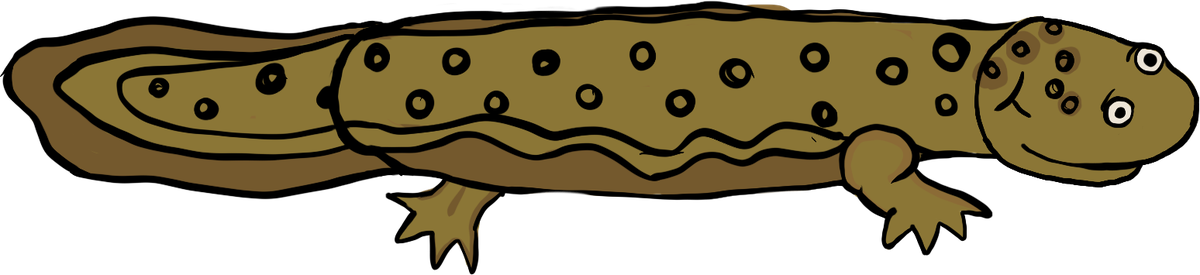
Hellbuddy the Hellbender walks along your windows, rides along when you drag them, naps, and loves a boop.

Zaduck the Mountain Goat hops along, leaps from window to window, and sometimes charges headfirst into the edge of your screen. He's a yeller.
Pick your hellbuddy any time: right-click it and choose Animal. Every hellbuddy is hand-drawn in Procreate, and more are coming soon.
Install on a Mac
- Open the download. Double-click Hellbuddies.dmg in your Downloads, then drag Hellbuddies onto the Applications folder in the window that opens.
- Open it. Double-click Hellbuddies in your Applications folder. The first time, your Mac checks that it's OK to open something downloaded from the internet: click Open.
- Say hi. Your hellbuddy drops onto your screen.
Had the older Hellbender app? It's the same thing under its old name: drag it from Applications to the Trash.
Install on Windows
- Run the installer. Open Hellbuddies-Setup.exe from your Downloads.
- Get past the blue screen. If Windows says “Windows protected your PC”, click More info, then Run anyway. You only see this once.
- Say hi. Your hellbuddy drops onto your screen, and keeps itself up to date from then on.
Why the blue screen? Windows shows it for apps from makers who haven't bought a code-signing certificate, which costs hundreds of dollars a year. Hellbuddies doesn't ask for any permissions and can't see what's in your windows, only where they are.
Quit or remove
To quit on a Mac: right-click your hellbuddy (or click the animal in the menu bar) and choose Quit. Open Hellbuddies from Applications to bring it back.
To remove: quit first, then drag Hellbuddies from Applications to the Trash.
To quit on Windows: right-click your hellbuddy (or its icon in the taskbar tray, by the clock) and choose Quit. Open Hellbuddies from the Start menu to bring it back.
To remove: go to Settings → Apps → Installed apps, find Hellbuddies, and choose Uninstall.